
Virtual disks, forensic and compressed images
Many disk images are stored inside another format: a virtual machine disk, a forensic image, a compressed file, or a set of numbered parts. Open them like any other image with File > Open Image…. IsoHappy reads the container and shows the disk or disc inside it.
Opening a container is free. Saving files from the disk inside follows the usual rules for its file systems (see Licenses).
Virtual machine disks
- VHD (.vhd, .vpc, .avhd): fixed, dynamic and differencing disks.
- VHDX (.vhdx, .avhdx): fixed, dynamic and differencing disks with 512 or 4096-byte sectors. A VHDX that was not closed cleanly (its log still holds changes) is refused: open it once in Hyper-V or Windows first.
- VMDK (.vmdk): monolithic and split sparse disks, flat disks with their descriptor, stream-optimized disks, ESX sparse extents and differencing disks. You can open the descriptor or one of its extent files.
- VirtualBox (.vdi): dynamic, fixed, differencing and undo images.
- QEMU (.qcow2): versions 2 and 3 without a backing file.
A differencing disk (a snapshot) only stores what changed since its parent was made. IsoHappy looks for the parent where the child says it is, then in the child’s folder (and, for VirtualBox, the folder above it). Keep the whole chain together. If the parent is missing or was changed after the child was made, IsoHappy says so instead of showing a mix of old and new data.
Forensic images
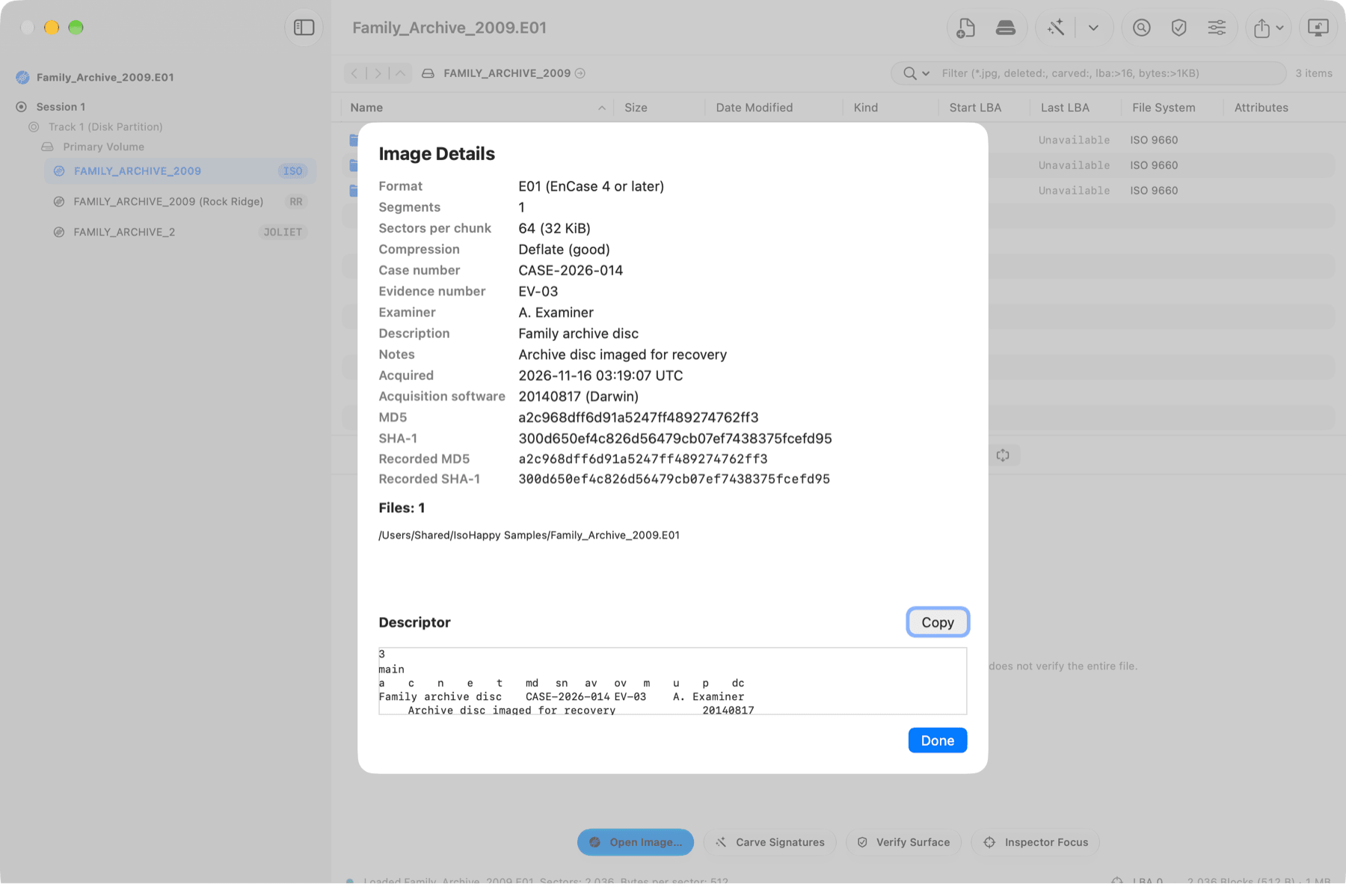
- EnCase and compatible (.E01, .E02 and later segments): all segments are read in order. The MD5 and SHA-1 recorded when the image was made are compared with the image’s contents when you compute checksums of the whole image in the Cryptographic Digests tab.
- SMART (.s01): read the same way.
- EWF2 (.Ex01): read from its published format description. No tool on macOS writes these files, so IsoHappy’s Ex01 support has only been tested with files built from that description. Please tell us if one of yours does not open.
- Logical evidence (.L01, .Lx01) holds a collection of files, not a disk, and is not opened.
- AFF (.aff, .afd, .afm): the Advanced Forensic Format written by AFFLIB tools such as affconvert and aimage. A single
.afffile, a.afdfolder offile_000.aff,file_001.affand so on (open any.afffile in it and IsoHappy reads the whole set), and a.afmfile with its raw data files (.000,.001and so on, in the same folder) are read, with zlib, LZMA or no compression. Sectors the imager could not read are shown as unreadable. The MD5 and SHA-1 recorded in the image are compared like those of an E01 image. Encrypted AFF images are refused. AFF4, a different format, is not read.
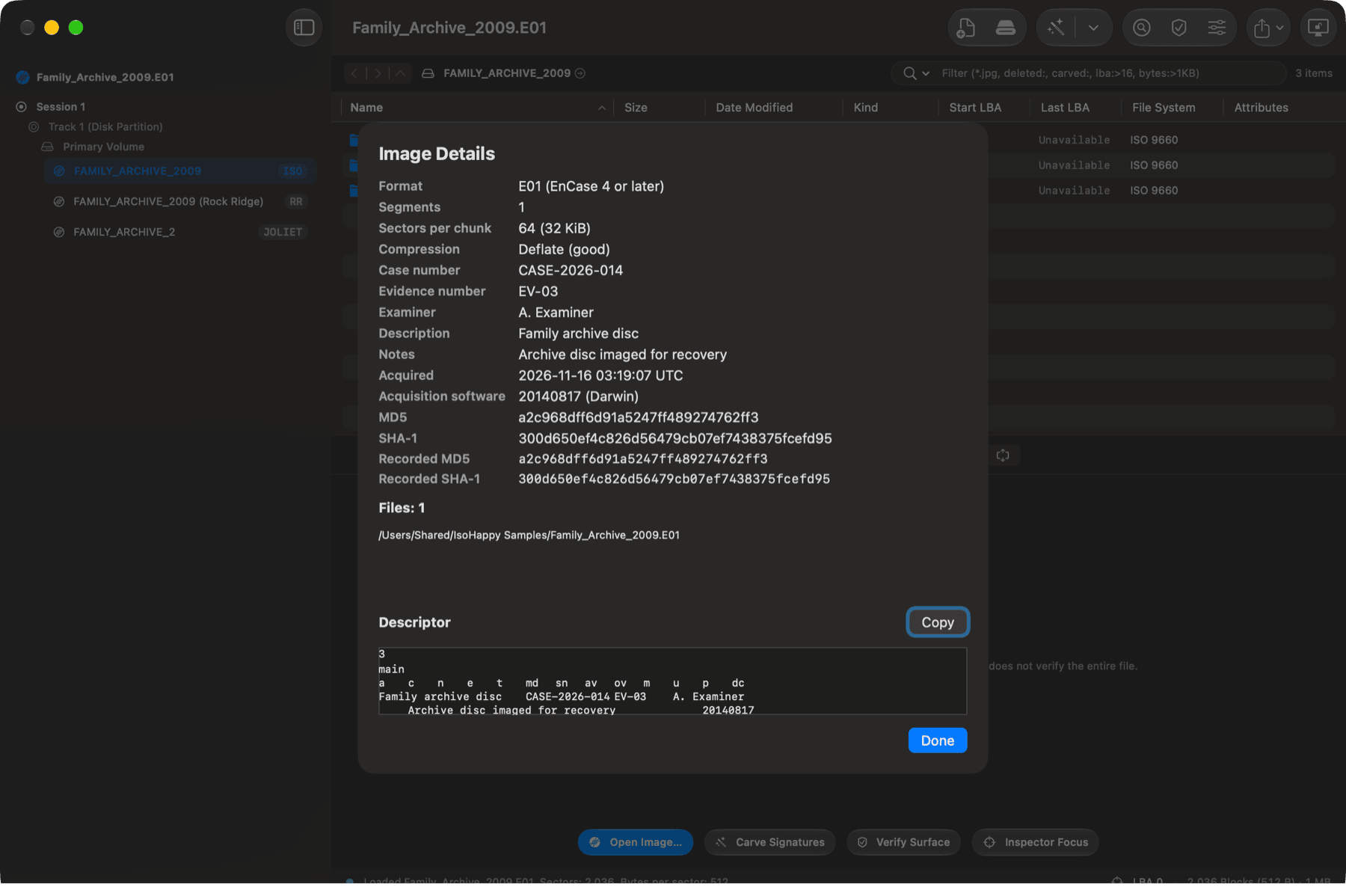
Choose File > Image Details… to see what a container records: the case number, examiner and acquisition date of a forensic image, the descriptor of a VMDK, the property list of a DMG, block sizes, parent names, recorded checksums and every file the image is made of.
Partition backups
IsoHappy opens partition backups made by open-source imaging tools and shows the partition as it was, so you can browse and recover its files without restoring it first. Blocks the tool did not save, because the file system was not using them, read as zeros.
- PartClone (also used by Clonezilla): images in format 0001 and 0002, of any file system. In format 0002 images that store a 4-byte CRC-32 for each group of blocks (restarted for every group), the checksums are checked as blocks are read, and blocks that fail are shown as unreadable. Other images, including all format 0001 images, and groups larger than 16 MiB are read without that check. Images made on big-endian computers are refused.
- NTFSClone (
ntfsclone --save-image). The first time you read far into a large image, IsoHappy reads the image up to that point to find where each cluster is stored. - PartImage (.000, .001 and so on), uncompressed or compressed with gzip or bzip2. Open the
.000file; the other volumes must be in the same folder. Encrypted PartImage images are refused.
These backups are often compressed with gzip or bzip2 (for example sda1.ext4-ptcl-img.gz); IsoHappy opens those too. A file of any name is recognised by its contents.
Apple images
Compressed DMG images, segmented DMG sets (disc.dmg with disc.002.dmgpart and the rest), sparse images (.sparseimage) and sparse bundles (.sparsebundle) open directly. For a segmented set you can open any of its parts.
Encrypted images are refused with a message. To read one, double-click it in Finder, enter its password, and open the mounted disk from Physical Drives in the toolbar.
Compressed images
IsoHappy opens images compressed with gzip (.gz, .gzip), zlib (.zl, .zz) and bzip2 (.bz2), and images inside ZIP archives (.zip), including split archives (.z01, .z02 and .zip). A compressed file is decompressed once when it opens, so a large one takes a while to open. After that, any sector can be read directly.
VHD, VHDX, E01, S01, Ex01 and single-file VMDK disks, single-file AFF images and partition backups inside a compressed file (for example disk.vhd.gz) are read as that format; differencing disks are refused there. VDI, QCOW2, DMG and sparse images inside a compressed file are not read; decompress them first.
For gzip and zlib files of 1 MB or more, IsoHappy saves what it learned while decompressing (an index of places it can start reading from) in its caches folder, so the next time you open the same file it only has to read it through once to recognise it, instead of decompressing it again. The index is found by the file’s contents, so it still works after you move or rename the file, and a changed file is decompressed again. Nothing is written next to the image. macOS may remove these saved indexes when it needs space; the file then takes longer to open once more.
A cue sheet and its data files stored together in one ZIP archive (for example game.cue with game (Track 1).bin and game (Track 2).bin) open as one disc with all its tracks, as when the files are in a folder. The data files must be in the same folder of the archive as the cue sheet. If the archive holds more than one complete cue sheet set, IsoHappy does not guess: it opens the largest disk image, and you can choose the cue sheet in File > Open Image with Options….
When a ZIP archive holds several files and no single cue sheet set, IsoHappy opens the largest disk image in it. To open another file, or to see what the archive holds, use File > Open Image with Options… and choose the file in the archive. Password-protected archives are refused.
Cue sheets with compressed data files
A cue sheet can name a data file compressed with gzip, zlib or bzip2 (FILE "disc.bin.gz" BINARY), and a cue sheet that names disc.bin also finds disc.bin.gz when only the compressed file is there. Opening the compressed data file itself opens the cue sheet next to it when that sheet names it, so the disc’s tracks are known.
When a data file is shorter than its cue sheet says (an image that was cut short while copying or downloading), the disc still opens with every track where the sheet puts it. The sectors the file does not hold read as unreadable, never as zeros, so recovery reports the files there as damaged. Image Details shows how many sectors are missing.
Save a decompressed copy
File > Save Decompressed Copy… saves what a gzip, zlib or bzip2 file holds as an ordinary file, whatever it is (an image, a log, another archive). Choose the compressed file, then where to save the copy; IsoHappy suggests the name gzip recorded, or the file’s name without its last extension (with .out added when it has none). Several layers (file.gz.bz2) are all removed. A damaged compressed file is refused rather than saved short, and an existing file is never replaced. This needs a Personal license.
Compressed ISO and console images
Compressed ISO files (.cso version 0 to 2, .zso, .ziso, .dax) and compact GameCube and Wii images (.ciso) open directly. DAX support was tested with files made by the open-source maxcso tool and with files built from its description of the format; a damaged DAX block reads as unreadable sectors.
Images in several parts
A raw image split into numbered parts opens as one image when you open the first part: disc.001, disc.00, disc.bin01, disc.b01, disc_00.pdi and similar. Split compressed files (disc.gz.001) work the same way. Every part must be in the same folder, and the set ends at the first missing number.
An image list (.imlst) is a text file naming the parts to join, one per line, as a path relative to the list or a full path. Two kinds of line stand in for missing pieces:
filler 1M 00adds the given number of bytes of one value (here one megabyte of zeros).unreadable 64Kadds bytes that read as unreadable sectors, so recovery treats them as damage.
Sizes take K, M and G. Lines starting with # are ignored.
Raw images
For a raw image, IsoHappy works out the sector size from what the image holds: CD sync patterns, ISO 9660 and UDF volume descriptors, partition tables and file system boot sectors. A raw 2352-byte image named .iso is recognised, and so is an optical image behind an unknown header of up to 512 KiB. Extensions such as .2kn, .4kn, .512e and .2352 set the sector size outright, and .528 images (512 data bytes plus 16 spare bytes per sector) are read as their data bytes.
Open Image with Options
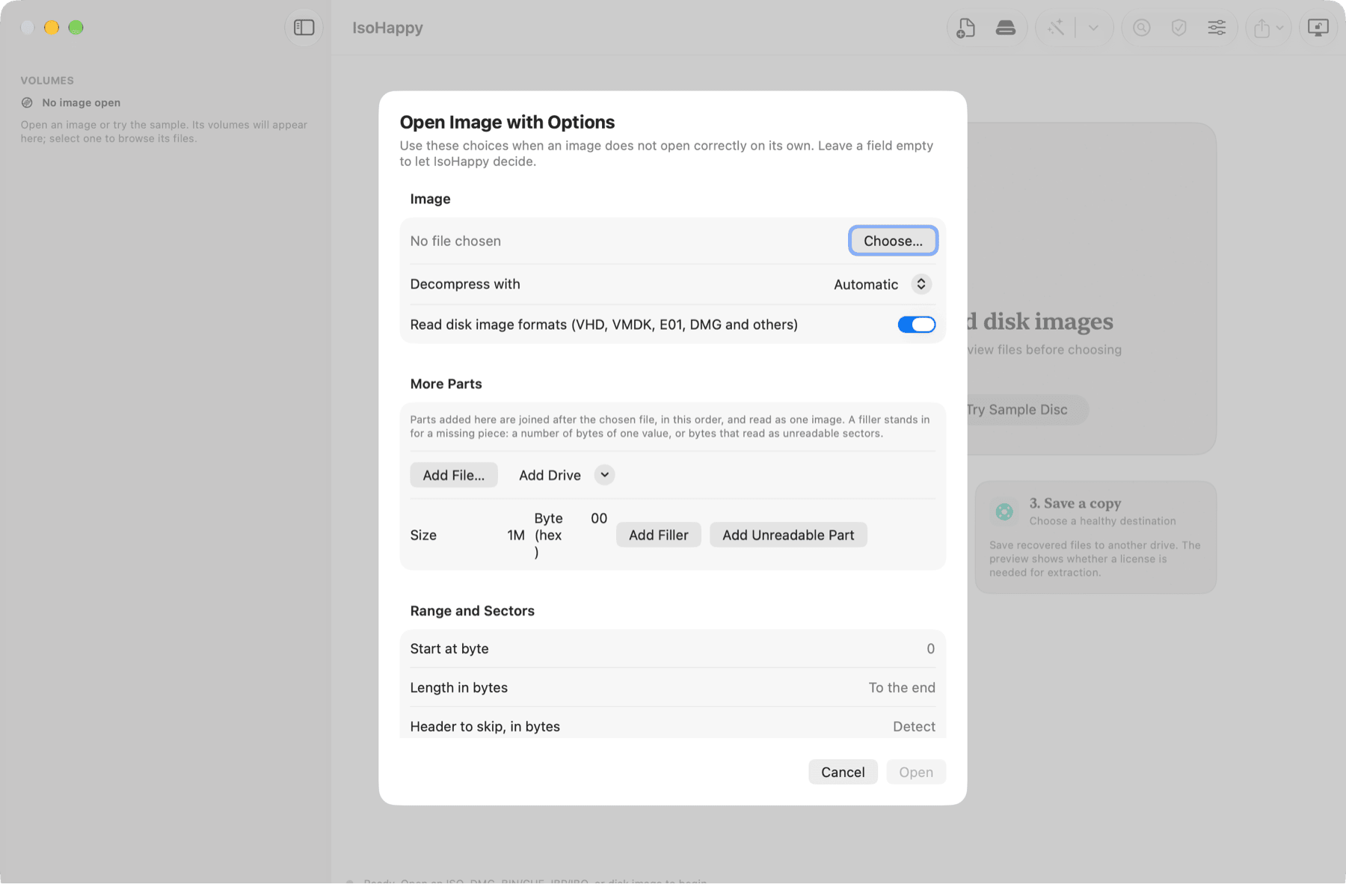
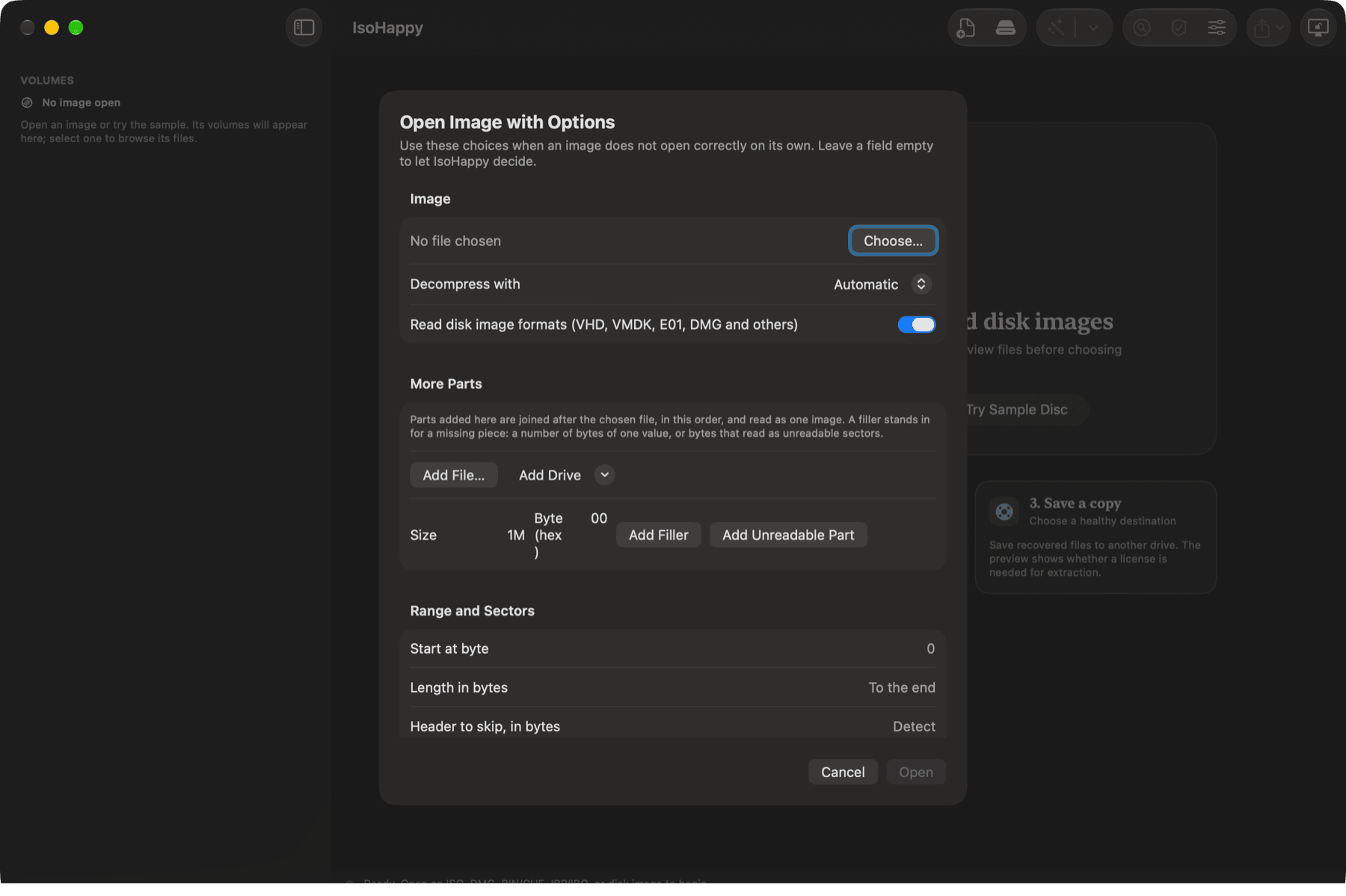
File > Open Image with Options… (Option-Command-O) is for images that do not open correctly on their own. Leave a field empty to let IsoHappy decide. You can:
- Choose… the file, and pick what to Decompress with, or Nothing (not compressed) to read it as it is.
- Turn off Read disk image formats (VHD, VMDK, E01, DMG and others) to read a container’s raw bytes.
- Pick the File in the archive to open inside a ZIP archive.
- Under More Parts, join more files (Add File…), drives (Add Drive), fillers (Add Filler) and unreadable stretches (Add Unreadable Part) after the chosen file to make one image.
- Open part of a file: Start at byte and Length in bytes.
- Set the Header to skip, in bytes and the Bytes per sector.
- Read a last sector that the image cuts short, with its missing bytes as zeros. Use this only for a damaged image; the zeros were not on the original media.
- Under Read Remapping, fix discs whose data is shifted by a mastering fault: from a given sector on (From sector), every read moves a number of sectors forward, or back with a negative number (Skip sectors). Click Add Rule for each one.
Click Open when you are done.
Checksum files
Opening an .md5 file opens the image it names, from the same folder, and checks the image against it right away. The result appears in the Cryptographic Digests tab.
Not supported
AFF4 images, JSO compressed ISOs and the WBI format are not read yet. A managed image (.ibp and .ibq) inside a ZIP archive is not opened as a set; extract both files first. ReQuest ISO files are not read, because there is no public description of the format. Encrypted or password-protected images of every kind are refused with a message rather than shown as unreadable data.