
Console and retro formats
IsoHappy reads several file systems and image formats used by game consoles and older computers. They were written from public descriptions of each format and tested with images built for the purpose, not with real retail discs, so treat anything unusual you see as worth checking.
Browsing and previewing are free. Saving files from these formats needs a Personal license.
Computers
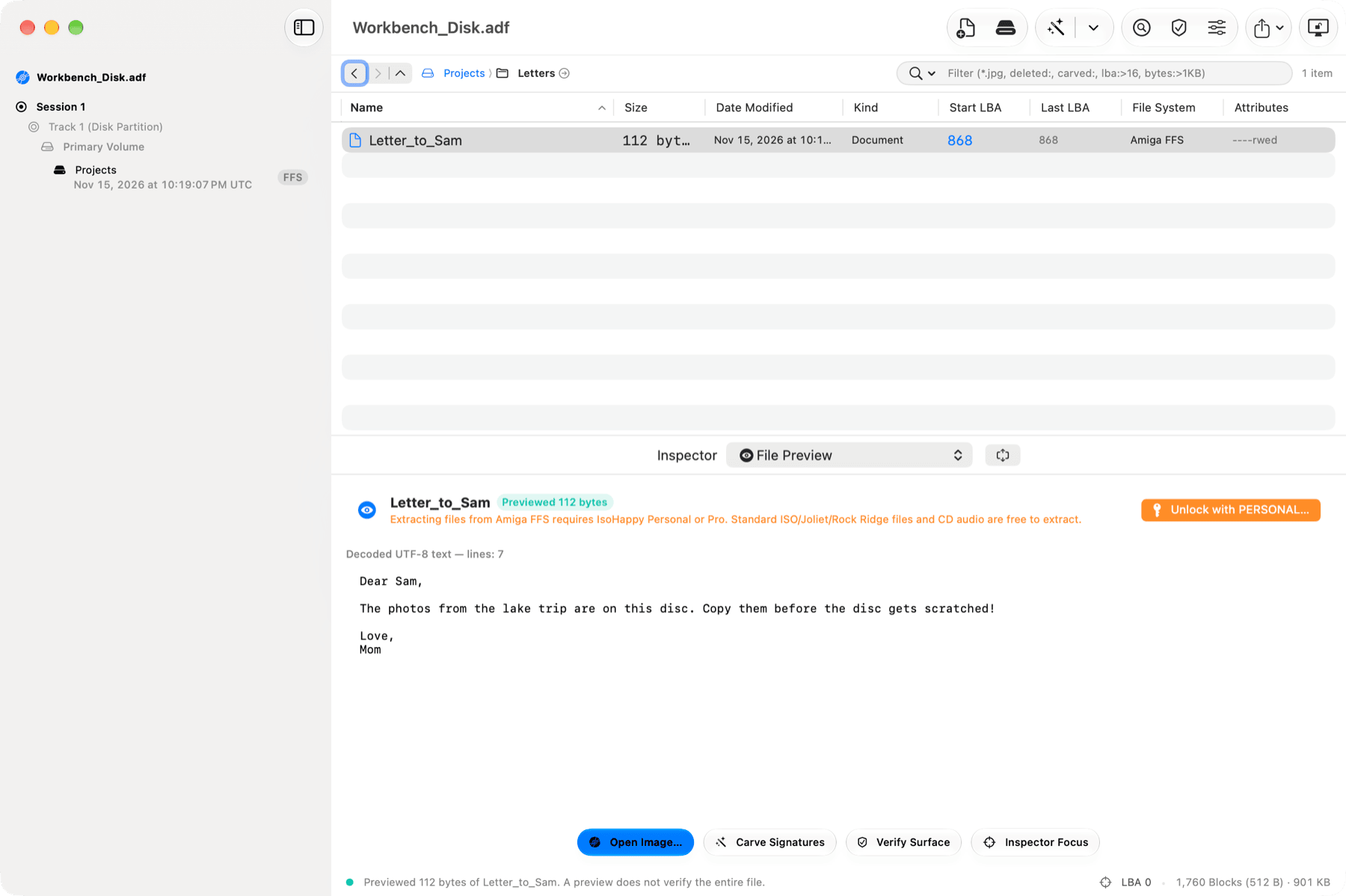
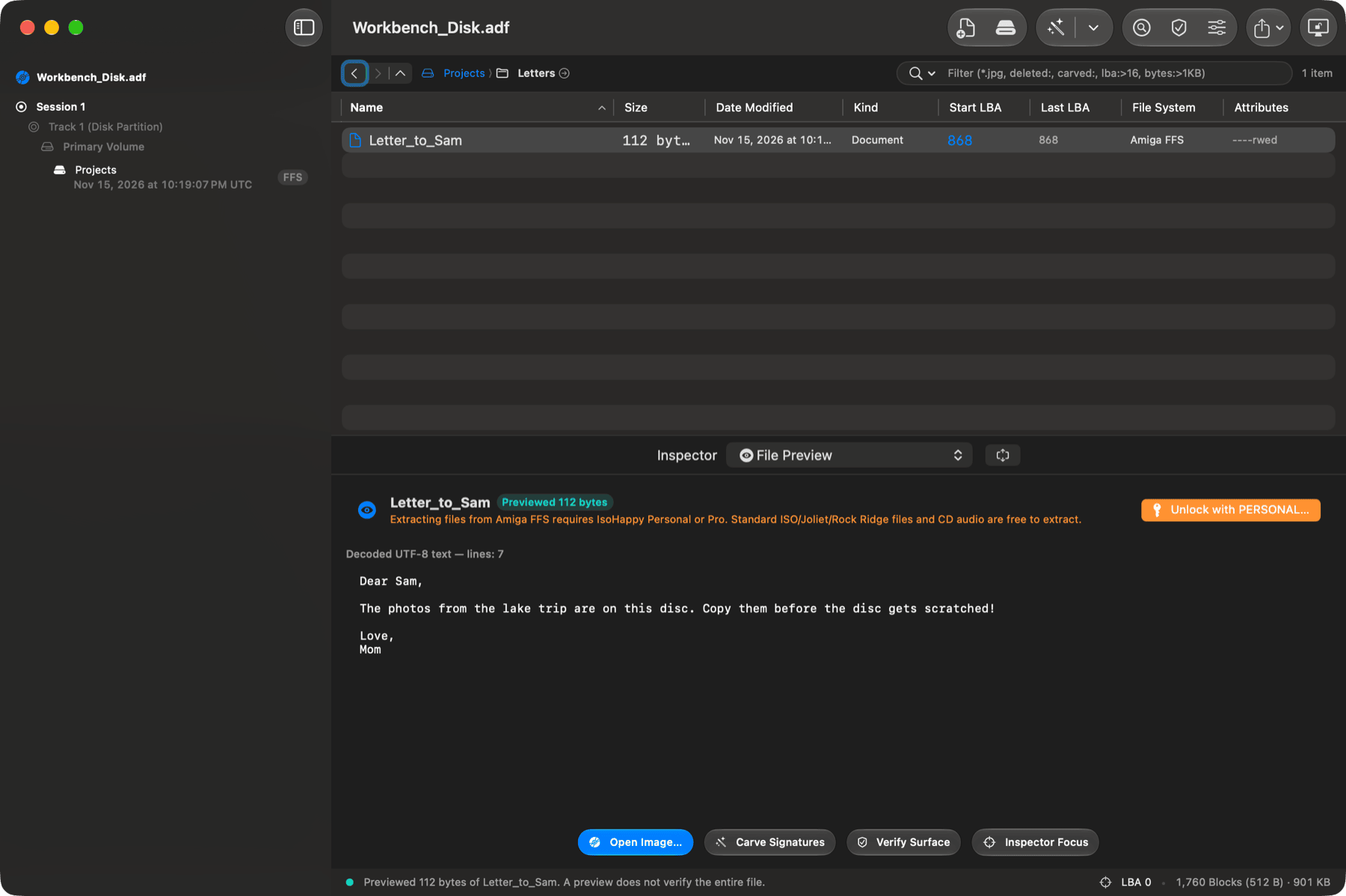
- Amiga floppy images (.adf), hard files (.hdf), gzip-compressed floppies (.adz) and Amiga partitions on hard disks. Files on the Old and Fast File Systems are listed with their protection bits and comments, and on floppies files that were deleted but whose header block survives are listed too. Volumes using the Smart File System or the Professional File System are recognized but their files are not listed. Volumes formatted with long file names show the short names only. Amiga DMS and FDI files open too. A DMS file (Disk Masher System) is unpacked when it opens, whichever compression it uses, and the floppy inside is listed like an .adf. A DMS file protected with a password is refused, because IsoHappy cannot decrypt it; unpack it with its password in a DMS tool first. An FDI file (made by Disk2FDI) is read when it holds Amiga tracks, either as plain sector data or as MFM track data; tracks stored as flux timings, and tracks of other computers, are not read. When a track or sector in a DMS or FDI file fails its checksum, or the file does not store it, its sectors show as unreadable instead of being filled in, so you can tell what is missing. No tool on a Mac writes DMS or FDI files, so this support was tested with files built from the published descriptions of both formats, not with files made by the original Amiga or Windows tools. Please tell us if one of yours does not open.
- Atari ST floppy images (.st) and GEMDOS hard disk partitions, including partitions with large logical sectors. MSA files are not supported.
- Apple DiskCopy 4.2 floppy images (.dc42, .image) and raw Mac volumes (.hfv) open as 512-byte blocks, so the Mac file system on them is listed as usual.
Consoles
- Xbox: game discs and .xiso images (the XDVDFS file system, also found at the game partition of a full Xbox or Xbox 360 disc image), original Xbox hard disks, and Xbox and Xbox 360 FATX partitions and memory units opened on their own. Deleted FATX files are listed; their data is read as one run from their first cluster, which can be wrong if the disk was fragmented.
- GameCube discs (.gcm, .iso), including the system files under sys.
- Wii discs are recognized and their partitions listed, but Wii game data is encrypted and IsoHappy does not decrypt it. You can save the unencrypted ticket, TMD and certificate files, and the encrypted data exactly as stored. WBFS files and partitions list each disc as an .iso file that you can save and open again.
- PlayStation memory cards (.mcr, .mcd, .gme, .mem, .vgs, .vmp and similar), including deleted saves, and PlayStation 2 memory cards (.ps2, .vmc), including dumps with error correction bytes and deleted saves. On PS2 hard disk images, each APA partition is listed with what its header records: when it was created, whether a password is set, how many sub-partitions it has (or, for a sub-partition, which partition it belongs to) and the driver version that wrote it. The files and folders of PFS partitions are listed and can be saved, including files stored in a partition’s sub-partitions and symbolic links, which show their target. Deleted PFS files are not found. Game images copied into a partition by loaders are listed when they start in the first 16 MiB of the partition. On dual-layer PS2 discs the second layer’s files are listed as their own volume, from its ISO 9660 file system and, when the layer has one, from its UDF file system too. PSX .cu2 track sheets open with their .bin file. PFS support was written from the open-source ps2sdk and tested with hard disk images made by pfsshell, which uses the same drivers as the console, and with images built from that description. It has not been checked against a hard disk taken from a PlayStation 2. The second-layer UDF volume was tested with images made by mkisofs, not with retail discs.
- Dreamcast GD-ROM images described by a .gdi file, including the high-density area that starts at sector 45000, and VMU memory card images (.vmu). Memory card dumps made with a Nexus card (.dcm) open as the card they hold, with its saves listed as for a .vmu image. This was tested with dumps built from public descriptions of the format, not with dumps from a real Nexus card. Single saves in .dci files are not supported.
- Nintendo GameCube memory cards (.gcp, .mci) and Nintendo 64 Controller Paks (.mpk, .n64).
- 3DO discs using the Opera file system.
What is not supported
IsoHappy never decrypts console data. Wii encryption is detected and explained, not removed. PlayStation 3 disks and their partition tables are not read. A .dcm file that is not a Nexus memory card dump opens as raw sectors. DVD recorder discs are described in CD, DVD and Blu-ray file systems.