
CD, DVD and Blu-ray file systems
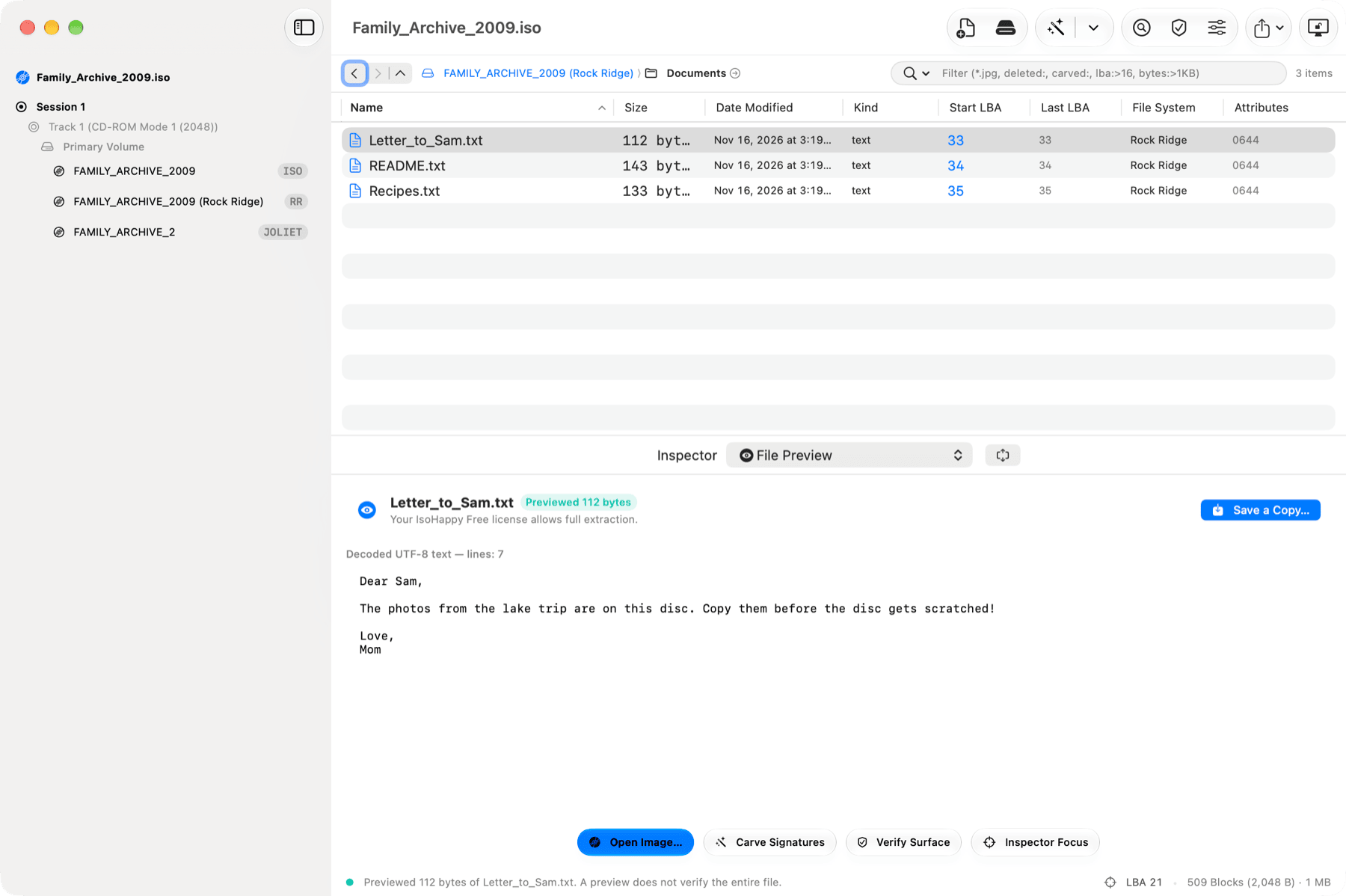
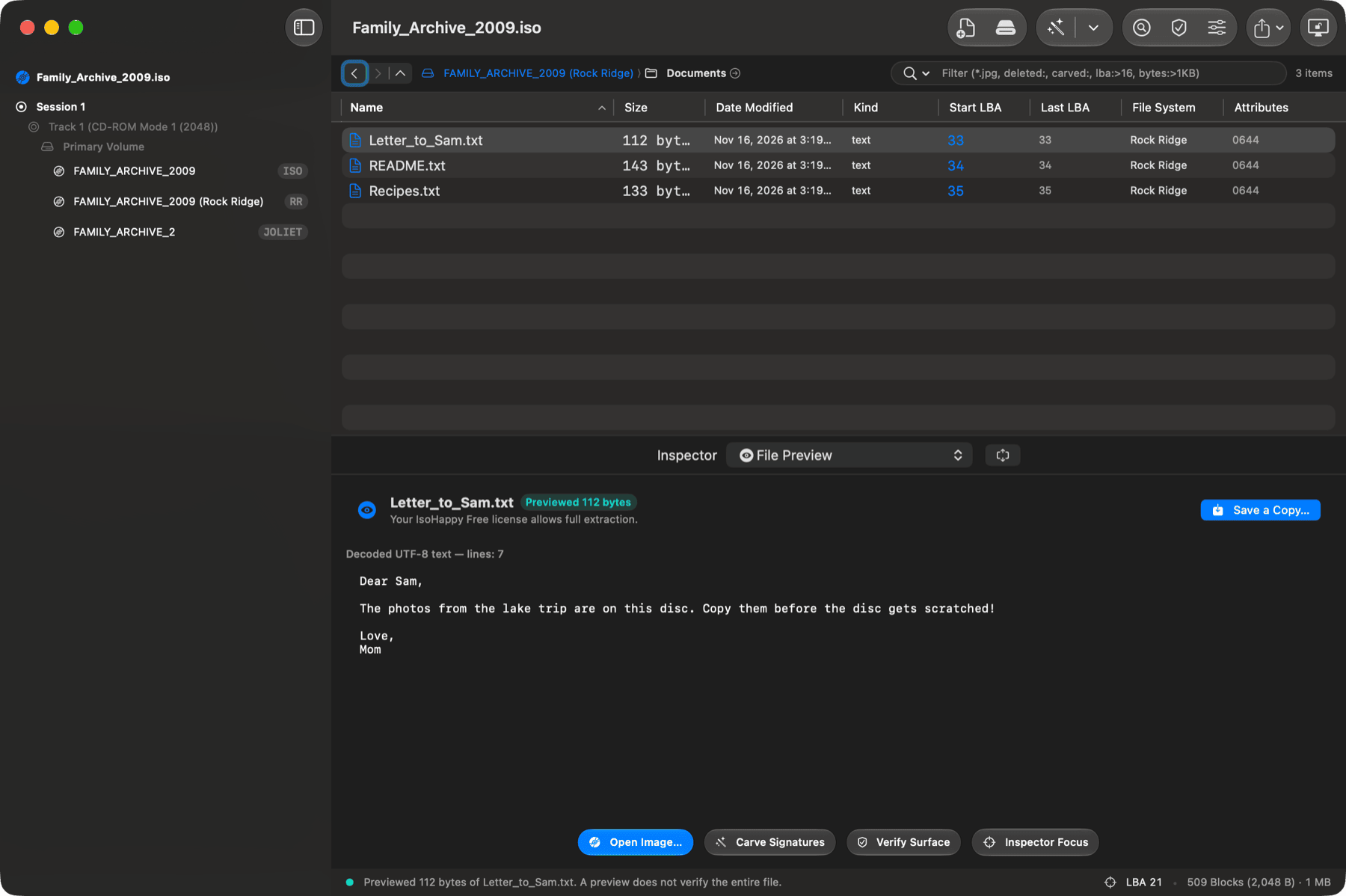
A CD or DVD often holds the same files more than once, each time described a different way. IsoHappy lists each description as its own volume in the sidebar, so you can pick the one with the best names and dates, or fall back to another one when one is damaged.
Saving files from the ISO 9660 family (everything in the next section) and from boot images is free. Saving from UDF, DVD-Video and DVD-Audio needs a Personal license.
The ISO 9660 family
- ISO 9660 is the basic tree every data disc has. Names are short and often in capital letters.
- Rock Ridge adds long names, Unix permissions, owners, dates and symbolic links to the ISO 9660 tree. Symbolic links are saved as links, not as files. Folders that were moved to get around the depth limit of ISO 9660 are shown where they belong.
- Joliet is the Windows tree with long Unicode names.
- ISO 9660:1999 allows long names with almost any character.
- Romeo is an older long-name tree whose names use the code page of the computer that wrote the disc.
- High Sierra is the format that came before ISO 9660, found on CD-ROMs from the late 1980s.
- CD-i is the file system of Philips CD-i discs. It is read from public descriptions of the format and has not been checked against real CD-i discs.
- Path table views (named “(path table)”) list the folders recorded in the disc’s path table, a second list of every folder. IsoHappy shows one when it holds folders the normal tree does not reach, or when its two copies disagree. This is how folders on a damaged disc can still be found.
- Earlier session volumes (named “(earlier session 1)” and so on) are older versions of a disc that was added to several times inside one track, as DVD+RW, DVD-RW and BD-RE discs and images written with growisofs or xorriso are. Each shows the files as they were when that session was written. The first session of a growisofs disc cannot be found this way, because writing the second session replaces its descriptors.
Names and code pages
Many older discs store names in the code page of the computer that made them, without saying which. IsoHappy reads valid UTF-8 as UTF-8 and other names as Windows-1252. If names look wrong, choose another code page under File names in Settings > Optical, for example Shift JIS for Japanese discs or Windows-1251 for Cyrillic, and open the disc again. Joliet names are always Unicode, so this does not change them.
Mac and Amiga discs
Files from Mac discs keep their file type and creator, shown in the Attributes column, and their resource fork, which ISO 9660 stores as an “associated file”. The resource fork is listed as a stream of the file. Amiga protection bits and comments are shown in the Attributes column. Files with an extended attribute record or an interleaved layout are marked there too, and are read with the record skipped and the gaps left out.
Files compressed with zisofs are saved as they are stored, still compressed, with a warning.
Bootable discs
Bootable Disc (El Torito) lists the boot catalog and every boot image it names, including the separate UEFI image of discs that boot on both older PCs and UEFI computers. The catalog only records how much the computer loads at start-up, which is often much less than the whole image, so IsoHappy works out the size from the best evidence it finds and shows which in the Attributes column: the emulation type of a floppy image, the partition table of a hard disk image, a file in the disc’s tree at the same place, the boot information table that mkisofs writes, a FAT boot sector, the start of the next boot image, or the catalog’s count.
When a boot image holds a FAT file system, such as the EFI system partition of a UEFI boot image or a boot floppy, its files are listed as their own volume. Saving files from that volume needs a Personal license, as for other FAT volumes.
Discs that break the rules
When a disc does not follow the ISO 9660 rules, for example when two copies of a number disagree or the path table lists folders the tree does not reach, an orange warning sign appears next to the folder path above the file list. Point at it to read each problem. Reading continues and nothing is hidden. Under When byte orders disagree in Settings > Optical you can choose which copy of such numbers to trust.
ISO 9660 settings
In Settings > Optical, under ISO 9660 discs, you can also:
- Always list the folders recorded in the path table (off at first),
- List volume descriptors and path tables as $Meta files, for inspection (off at first),
- turn off Look for earlier sessions inside one track or List the files inside El Torito boot images (both on at first).
Changes apply the next time a disc or image is opened.
UDF
UDF is the file system of DVDs, Blu-ray discs, HD DVDs and packet-written CDs and DVDs, and some hard disks and memory cards. IsoHappy reads UDF 1.02 to 2.60, with every UDF partition type:
- Physical partitions, as on pressed and disc-at-once media.
- Virtual partitions of discs written in packets (CD-R, DVD-R, DVD+R, BD-R), including discs written by drag-to-disc software and by Windows as a Live File System. IsoHappy finds the newest virtual allocation table by searching back from the end of the disc, so a disc whose last write was interrupted still opens in the last state that was completely written.
- Sparable partitions of CD-RW and DVD-RW, where sparing tables move worn-out packets elsewhere.
- Metadata partitions of UDF 2.50 and 2.60, used on Blu-ray discs, HD DVDs and hard disks. When the metadata file is damaged, IsoHappy reads its mirror copy instead.
UDF volumes with blocks of 512 to 32,768 bytes are read from any image whose sector size divides the block size. A CD-RW image made by a drive that did not hide the link blocks between packets is read too. On a multisession disc, IsoHappy finds the UDF volume of the last session.
What a UDF volume adds to the sidebar
- The volume itself, with its files as they are now. Named streams, Mac resource forks and Finder information are listed with each file and restored when you save it (saving streams and forks needs Pro; see Save files).
- Old versions of a packet-written disc, named “(Old Version 1)”, “(Old Version 2)” and so on, newest first. Each shows the disc as it was after an earlier write, so files that were later changed or deleted can still be found. Up to 16 old versions are listed.
- $Meta, the volume’s own structures (anchors, descriptors, allocation and sparing tables, metadata files and more), each listed as a file you can look at in the Sector Workbench. $Meta stays available when the files themselves cannot be listed.
- UDF Lost and Found, with file entries no folder lists any more, such as deleted files whose data was not overwritten, or the contents of a folder whose parent is damaged. Items without a name are called “Recovered File” or “Recovered Folder” followed by their sector number.
UDF limits
- The lost and found search reads at most 65,536 blocks (128 MB with 2048-byte blocks): the metadata file of a UDF 2.50 or 2.60 volume, or the whole partition of smaller volumes. Larger partitions are not searched when a disc is opened, because that would read the whole disc. Find Lost searches them, up to 16,777,216 blocks. Packet-written discs get old versions instead.
- The search for the newest virtual allocation table covers the last 4,096 blocks of the media.
- Mount Rainier (MRW) discs are read only through a drive that handles Mount Rainier itself.
- Packet-written, sparable, Blu-ray and HD DVD layouts were tested with images made by formatting tools and built from the UDF specification. They have not yet been tested with physical discs in a drive, or with discs written by Windows.
DVD-Video
A DVD-Video disc keeps its films in a VIDEO_TS folder: IFO files that describe the disc, BUP files that are backup copies of them, and VOB files with the video. IsoHappy finds these sets from the IFO files themselves and lists them as a DVD-Video (IFO/VOB) volume next to the disc’s ISO 9660 and UDF volumes. Because it does not need the file system, this volume also appears when the file system is damaged or gone, and for DVD images stored inside a larger file or partition.
When an IFO header is damaged, its backup copy is used and the files say so. When both are damaged, only the first block of the IFO is listed, so no file size is ever guessed.
Title VOB sizes
Each title’s video is split into VOB files of up to 1 GB, and only the file system records exactly where each one ends. Under Title VOB files in Settings > Optical, choose:
- Sizes from the disc’s file system (1 GB parts when there is none) (the default),
- 1 GB parts, as DVD authoring tools write them,
- One file per title set (the whole stream), which is often the easiest to play.
Save a VOB as MPEG-2
Control-click a VOB file and choose Save as MPEG-2 Program Stream… to save it as a .mpg file that ordinary video players open. IsoHappy removes the DVD navigation and padding and keeps the video, sound and subtitles unchanged, without re-encoding. It needs a Personal license.
Video on commercial discs protected with CSS stays scrambled. IsoHappy does not decrypt it, and says so when it finds scrambled blocks.
DVD-Audio
DVD-Audio sets in an AUDIO_TS folder are listed as a DVD-Audio (IFO/AOB) volume with their IFO, BUP and AOB files. This is read from public descriptions of the format and has not been checked against commercial DVD-Audio discs, so check the files before you rely on them.
DVD recorder discs (DVD-VR)
DVD recorders and camcorders that write in DVD-VR mode (usually on DVD-RAM or DVD-RW) keep every recording in one file, VR_MOVIE.VRO, in a DVD_RTAV folder. A second file, VR_MANGR.IFO, says which parts of that file belong to each recording.
When the disc’s UDF file system lists these files, IsoHappy adds a DVD-VR Recordings (VR_MANGR.IFO) volume with one .mpg file per recording, named with its number and title (for example 001 Holiday.mpg, or VR_MOVIE_001.mpg when it has no title), dated with its recording time and showing its length in the Attributes column. Each file is an MPEG-2 program stream that ordinary video players open. Listing and previewing are free; saving recordings needs a Personal license. You can also Control-click a recording and choose Save as MPEG-2 Program Stream… to leave out the recorder’s navigation packs.
If VR_MANGR.IFO is damaged, IsoHappy uses its backup copy, VR_MANGR.BUP, and says so. A recording whose entry is damaged is listed with the reason and is not saved, so nothing is guessed. A recording that runs past the end of VR_MOVIE.VRO is saved only up to the end of the file, with a warning. When the file system itself is gone, the recordings cannot be listed; use Carve Signatures to look for the MPEG video instead.
Recordings joined or reordered on the recorder (program sets and play lists) are listed as their separate parts. DVD+VR discs follow the DVD-Video layout and appear as a DVD-Video volume instead. Discs protected with CPRM stay scrambled: IsoHappy does not decrypt them, and says so when the disc supports CPRM.
The DVD-VR format is not public. IsoHappy reads it from the description published by the open-source dvd-vr project, and this support has not been checked against discs from real recorders. Check each saved recording before you rely on it, and tell us if one of your discs does not list correctly.